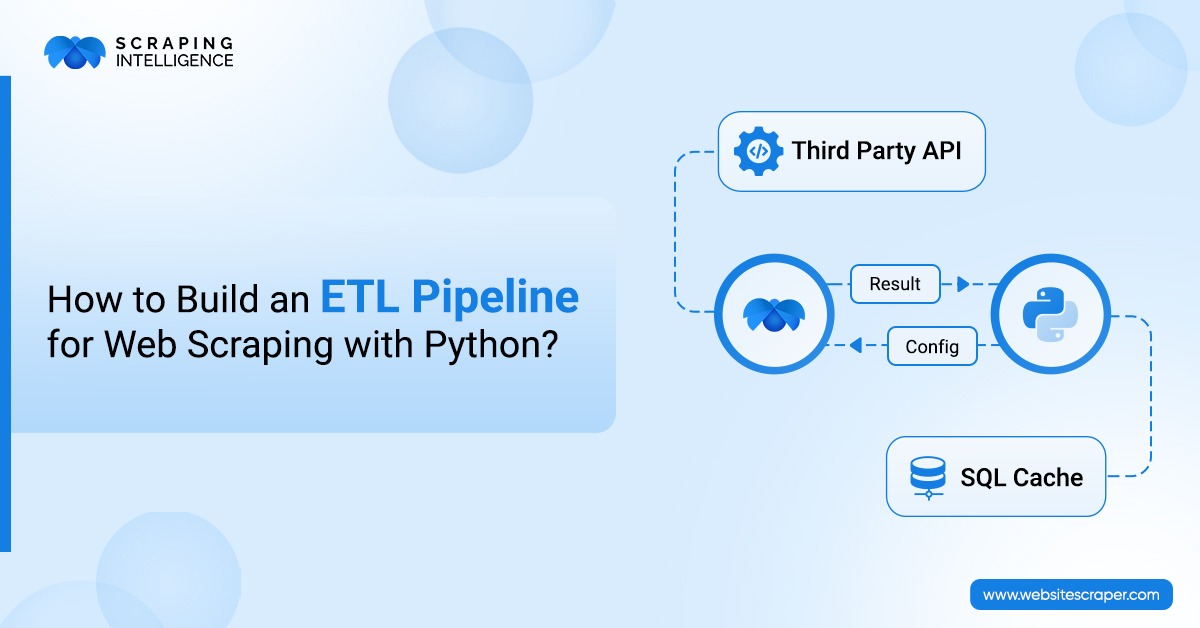
How to Build an ETL Pipeline for Web Scraping with Python?
Category
Services
Publish Date
January 12, 2026
Author
Scraping Intelligence
The internet contains useful data for your business, but it is in a raw and unstructured format. You cannot use such data directly for research and analysis. You turn raw data into a wealth of insights that help your business to achieve its motto. Once a good approach can be ETL, extracting, transforming, and loading data into a central repository. In this blog, I’ll walk you through a step-by-step approach for building an ETL Pipeline for Web Scraping with Python.
Understanding ETL in The Context of Web Scraping
ETL refers to the core process of collecting data from various sources. This data is then normalized and stored in a central repository called a data warehouse for analysis and reporting.
Key Challenges in ETL
ELT is not a simple and easy process; it has many challenges, as stated below:
Scraping data in bulk may reduce data quality; it may have missing values or inconsistencies.
The data you have scraped may be unstructured; therefore, you have to arrange the data properly so that you can easily interpret it with no hassle.
When you scrape large datasets, you have to ensure storage capacity to manage growing data volume.
There are chances that you get a variety of structured and unstructured data. So normalization takes lots of time.
Your data may be vulnerable. So, you have to securely source data using an encrypted connection and authenticated access.
Planning the ETL Pipeline
To plan your ETL pipeline, initially, you have to define objectives. You need to be sure what data you have to scrape, the importance of data, and how you will utilize it in the real world.
You need to identify sources to scrape data. Here, sources can be referred to as any digital platform.
You have to check permissions by reading the robots.txt file. This file contains rules for bots. You have to follow it without fail.
Use modular pipeline flow, extract data separately, and focus on independent data fetch. This will help you with easier debugging and faster maintenance.
Make a list of needed tools for scraping web data.
To handle scalability, you have to develop a parallel scraping plan. It can also help you collect data faster and reduce scraping time.
Next, you have to remove duplicates and keep unique records. Handle missing values by filling or dropping the field. Normalize currencies by standard monetary units.
Select your data storage. For example, a cloud or a database. If you would like to store data in a secure place, then you can use cloud storage.
You have to schedule jobs and develop an automated strategy that initiates data scraping. Additionally, you must define the job frequency as either daily or weekly runs.
Finally, you have to track pipeline activity and store log files. Use structured logs for a consistent log format, capture errors, and record failure details.
Tools and Libraries for ETL in Python
You will need the following tools and libraries for ETL in Python:
Requests:. This is an HTTP request needed to fetch webpage content
BeautifulSoup: This is one of the best Python libraries. This is required to parse the HTML structure.
Pandas: This is a Python library for cleaning and organizing the collected data.
CSV: It will help us to save data in tabular format.
Build an ETL Pipeline for Web Scraping with Python
We will target the https://books.toscrape.com/ site and write a Python program to scrape both the title and the price of products. Let’s get started!
Step 1: Importing BeautifulSoup and Pandas
First of all, we will import important Python libraries. We are importing Requests BeautifulSoup, and Pandas.
import requests
from bs4 import BeautifulSoup
import pandas as pd
Step 2: Fetch the webpage
In this step, we need to fetch the targeted web page to extract the needed data.
url = "https://books.toscrape.com/"
response = requests.get(url)
html = response.text
As you can see in the code, we have used the https://books.toscrape.com/ URL to extract data. This code will enable you to download a large set of raw HTML data.
Step 3 Parse HTML
In the third step, we need to parse HTML so that we can turn raw data into structured data.
soup = BeautifulSoup(html, "html.parser")
Step 4: Extract Title and Price
In this step, we will target the https://books.toscrape.com/ site. We will scrape titles and prices from it.
titles = [h3.get_text(strip=True) for h3 in soup.select("h3")]
prices = [p.get_text(strip=True) for p in soup.select("p.price_color")]
We have used the CSS selector <h3> and the p.price_color class for the <p> HTML tag.
Step 5: Transform Data
Now, transform raw data into structured data for ease of understanding.
As you can see, we have used a DataFrame and the Price as a column. In the second code, we have used the str.replace("£", "", regex=False).astype(float) method to remove the £ symbol and convert it to a float.
Step 6: Load Data
In the last step, we will load data,
df.to_csv("books.csv", index=False)
print("ETL pipeline completed and saved to books.csv")
The above code will store extracted data into the books.csv file. On successful storage of data, you will see the “ETL pipeline completed and saved to books.csv” message.
Code Summary:
import requests
from bs4 import BeautifulSoup
import pandas as pd
url = "https://books.toscrape.com/"
response = requests.get(url)
html = response.text
soup = BeautifulSoup(html, "html.parser")
titles = [h3.get_text(strip=True) for h3 in soup.select("h3")]
prices = [p.get_text(strip=True) for p in soup.select("p.price_color")]
 df = pd.DataFrame({"Title": titles, "Price": prices})
df["Price"] = df["Price"].str.replace("£", "", regex=False).astype(float)
df.to_csv("books.csv", index=False)
print("ETL pipeline completed and saved to books.csv")
Limitation of Code
We have written basic Php code to demonstrate building an ETL pipeline for web scraping. It has limitations mentioned below:
The code covers only the first page of the site. We have not written a logic to handle pagination.
We have not used an error handling mechanism to handle the unexpected events.
This code is HTML dependent, which means that if the site structure is changed, it will break.
Our code will store data in a CSV file. If you wish to store data in some other file, this code will not work.
In this section, we'll discuss common mistakes while scraping web data.
Not Respecting Robots.txt: Ignoring robots.txt means a violation of site policies. If you do not read robots.txt and if you scrape restricted pages, then you may have to suffer from legal compliance issues. Disregarding a website's terms of service leads to a breach of contractual rules. Always adhere to the website ToS to prevent unauthorized data use.
Poor Error Handling: You have to use a try/catch block whenever you write Python code to prevent the pipeline from crashing. Furthermore, ignoring HTTP errors may send missed or broken requests. If you do not develop retry logic, you may lose data on failure.
Inconsistent Data Transformation: Scraping raw data may give you duplicate records. To avoid this issue, you have to remove duplicates early so that you can save storage space and improve performance. It may have an inconsistent format; you have to normalize your data to understand it better. If you have scraped messy text fields, then standardize the text format for uniform data quality and easier string matching.
No Monitoring or Logging: If you notice failure, it will make your program debugging difficult. You have to integrate monitoring tools to track pipeline health and measure the speed and efficiency of the code you have written. Check the pipeline continuously to improve reliability and stable pipeline operation.
Hardcoding Configurations: The website structure always changes over a period of time, which creates difficulties in scraping the necessary data. You can overcome this issue by developing modular scraping rules. Do not use hardcoded selectors; instead, use config files for easy management of configs and flexible pipeline design.
Applications of Web Scraping in ETL Pipelines
Let’s discuss how Web Scraping in ETL Pipelines can be used.
Finance: In the finance sector, ETL pipelines can be used for spotting unusual transactions. This is also used to collect currency rates to support forex trading.
Retail: For the retail industries, ETL pipelines can help to monitor competitor pricing. Retailers can use it to maintain up-to-date inventory.
SaaS & Tech: ETL pipeline helps SaaS and Tech companies use user analytics to track product engagement.
Media & Marketing: Businesses associated with media & marketing can scrape web data to monitor social platforms and evaluate audience response.
Conclusion
In this blog post, we discuss the importance of ETL in data scraping. We wrote code to extract the product title and price. Moreover, understand common mistakes when scraping data. Scraping Intelligence is a well-known data extraction service provider. You can contact it to understand how raw data can drive business success.
Frequently Asked Questions
How do you avoid duplicates?+
To avoid duplicate data, you need to apply a filter early as soon as possible. Sometimes, you can also drop redundant data by tracking processed records.
What are the most common Python libraries for scraping data?+
The most common Python libraries used by Python developers are Pandas and BeautifulSoup. Both play an important role in web scraping.
How can you handle an error?+
To handle unexpected failure, one of the simple ways is use try/except blocks in Python. If you are facing network timeouts, you need to implement retry logic.
Can you deal with website structure changes?+
If you want to scrape dynamic website pages, you should always review your pipeline regularly. You can also isolate site changes to solve this issue.
What is ETL with respect to web scraping?+
ETL is a three-phase process of collecting data from various sources. After this, the data is normalized and stored in a central repository called a data warehouse for analysis.
Let's Talk About Your Data Needs
Tell us what data you need, and we'll help you find the right solution.
Scraping Intelligence Editorial Team is a collective of data specialists, analysts, and researchers with expertise in web scraping, data extraction, and market intelligence. The team produces well-researched guides, actionable insights, and industry-focused resources that help businesses unlock the value of data and make informed, strategic decisions.
Latest Blog
Explore our latest content pieces for every industry and audience seeking information about data scraping and advanced tools.
Compare real estate data APIs vs. web scraping costs, including setup, infrastructure, maintenance, and data quality, to find the right solution for your needs.