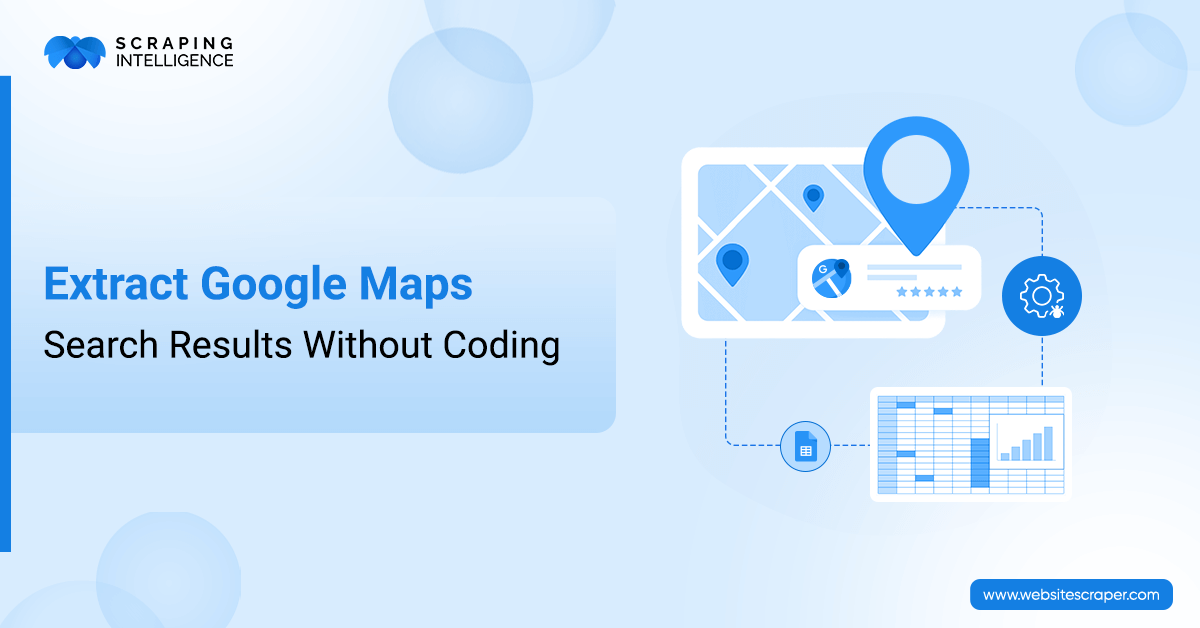
Step-by-Step Tutorial: Extract Google Maps Search Results Without Coding
Category
Google
Publish Date
October 10, 2025
Author
Scraping Intelligence
Google Maps is an extensive free online map that is used by millions of users, providing details about 250 million places and street view imagery across 110 countries. This platform can be accessed either from a mobile application or a web browser. People use Google Maps regularly to get street view, real-time traffic, path, directions, and more. Its advanced AI-driven feature, powered by Gemini, can provide travel recommendations. It has a live view search facility, enabling users to explore their surroundings in real-time with their mobile phone camera, raising its services to a new level.
Launched in 2005, Google Maps became a comprehensive tool in the geospatial analytics and location intelligence industry. It contains high-quality point of interest data, such as stores, hotels, outlets, and markets, that can help you make better decisions for your business.
If you wish to utilize the data mentioned above to achieve your business goals, you have to simply scrape Google Maps. This requires extensive knowledge and expertise. A profound understanding and problem-solving skills are therefore essential. This step-by-step tutorial is for those who do not want to have any of them, but still want to scrape Google Maps search results. After reading it, we are sure that you will be able to pull out data from this platform's Search Results without writing a single line of code.
Why Would Someone Scrape Google Maps Results?
Scraping Google Maps results provides numerous benefits to businesses. These benefits are as follows:
Lead Generation
The most significant advantage of scraping Google Maps for B2B businesses is lead generation. In this competitive era, almost every organization has created its profile on Google Maps to share its business locations, photos, reviews, ratings, services, and so forth. Other companies can collect this data to create a qualified outreach list of businesses located in a specific area.
Competitor Analysis
Businesses can use Google Maps to perform competitor analysis to understand their business strategies. It helps in reducing uncertainty and guesswork in decision-making. By performing competitor analysis, businesses will be able to provide a tailored product to meet the needs of a customer or group of customers.
Product Research
Extracting Google Maps data is extremely helpful in product hunting. For example, you can scrape business information and reviews to identify and research similar products that you are interested in, and then choose the best product based on your research.
Big Data Analysis
Google Maps is one of the best platforms that can be leveraged for extracting business data located in diverse geographical areas. Local business owners can utilize it for big data analytics to uncover trends and patterns.
What Data Can You Scrape from Google Maps Results?
The following table shows a list of the data fields that you can scrape from Google Maps.
Category
Field Name
Description
Location Info
Business Name
Name of the place
Full Address
It includes street, city, state, and postal code.
Latitude & Longitude
This includes geolocation coordinates.
Place ID
It is a unique Google Maps identifier
Ratings & Reviews
Star Rating
Includes average user rating
Total Review Count
Number of reviews
Review Snippets
Short excerpts from user reviews
Contact & Links
Phone Number
Listed contact number
Website URL
Official business website
Google Maps URL
Direct link to the listing
Operations
Opening Hours
Daily hours of operation
Temporarily Closed Flag
Indicates if the business is temporarily closed
Metadata
Category / Type
Business types such as restaurants, museums, hotels, etc.
Price Level
Relative cost indicator ($, $$, $$$)
Visuals
Photos
Images of the place or products
Metadata
Last Updated
Timestamp of last listing update
Verified Status
Whether the business is verified by Google
Claimed Status
Whether the business is claimed by the owner
Step-by-Step Ways to Extract Google Maps Results without coding?
You can go through the following step-by-step ways to effectively scrape Google Maps results without coding:
Manual Copy-Paste from Google Maps
Step 1: Write your search keywords into Google Maps and then refine the results. You can also filter out the results if you want.
Step 2: Open the listing and click on each business to see its name, address, locations, reviews, and more.
Step 3: Once you are done with step 2, you have to manually copy and paste the data from this platform into any spreadsheet software, such as Microsoft Works spreadsheet, Google spreadsheet, and others.
This is a simple method to collect data from Google Maps; however, it can be utilized only if the data is small. It is used by businesses for market research and competitor analysis for their future growth. On the other hand, this traditional approach is not just time-consuming but sometimes results in ambiguity.
Using Google My Maps for Custom Location Lists
Google’s My Maps is a tool that can be used to create and manage your own custom maps. You can utilize it to get important metadata. Perform the following steps to save locations and export them:
Step 1: Open a browser and open Google Maps. After this, create a new map.
Step 3: Search for any business or place, and add it to the map. You can also categorize them as per your desire.
Step 4: Once it is done, you have to export it into KML.
Step 5: Open the file in spreadsheet software or Google Earth.
This method provides limited data that can be used for planning a rote or an analytical visualization without writing code.
Custom Browser Ad-Ons for Semi-Automated Scraping
This is another method of extracting Google Maps search results without coding. Businesses can use custom browser add-ons to gather important competitors’ information. This can be done by following the generalized steps below:
Step 1: Visit the web store of your browser. After this, install any good data extraction extension.
Step 2: Open Google Maps. Enter your search query.
Step 3: After this, manually scroll to load the listing.
Step 4: You have to define CSS/XPath selectors for the data you have to scrape.
Step 5: Run the test scrape. If the selectors are not capturing the desired data, you can adjust them.
Step 6: Execute the scrape. It will scrape all business information from Google Maps.
Step 7: Once you have completed the above steps, export the result in spreadsheet format.
This method can effectively scrape business information. But it can capture only the visible part of the website; it cannot be used to capture dynamic data.
Automated Google Maps Search Result Tool
Automated Google Maps search result tools are automated software applications that automatically extract data from Google Maps search results. You can customize it based on location or keyword. These tools help you collect important business information like business name, location, contact information, and so on, that can be used for research.
Exploring Google Places API
Google Places readymade API or third-party tools provide location and points of interest data. The steps mentioned below will enable you to extract business details.
Step 1: Create a Google Cloud Project and enable the Places API.
Step 2: Generate API Key by clicking on “Credentials >> Create API Key”. Copy this key. It will be used later on.
Step 3: Select drag and drop tools that provide support for data scraping and API calls.
Step 4: Add an API request block by pasting the Google Places API URL forwarded by the key you have copied in step 2.
Step 5: Customize search parameters according to your targeted business type and location.
Step 6: Drag in an output block.
The above steps are for user-friendly, drag-and-drop tools that integrate the Google Places API and can be configured based on your needs to extract business details. This method is simple and easy to gather the desired data that matters to your business. The primary challenge here is the difficulty of comprehending the template or prebuilt workflow.
Scraping Google Maps search results presents some pitfalls that you should not be out of the loop on. There are mentioned below:
Google Layout Changes Are Breaking Scrapers
No code scrapers often rely on Google Maps HTML. When Google Maps updates its structure, these scrapers are not able to extract business data.
How Can You Avoid It?
To avoid the above issue, you have to use tools that offer visual selectors. You have to choose a platform that offers frequent updates. It is a good practice to test your tool before you actually scrape business data.
Duplicate or Incomplete Entries
Many times, extracted data can contain an inconsistent format or redundant fields when there is a long list to scrape. It may also miss important fields that you need for making business decisions.
How Can You Avoid It?
To avoid this issue, you have to clean the data using built-in filters. One more thing you can do is to scrape all your business data in smaller batches. After this, you have to cross-check the exported data before merging.
Rate Limits and Temporary IP Blocks
Rate limiting is a security aspect that can prevent abuse by controlling the requests for scraping data. Frequently scrolling Google Maps results in triggering Google’s anti-bot mechanism, which can ban IPs.
How Can You Avoid It?
To get to the bottom of this issue, you have to choose the scraping tool that has built-in delays. Moreover, you can avoid scraping all the Google Maps listings at once; simply break tasks into small parts. Another effective solution can be utilizing a VPN with rotating IPs.
Overlooking Data Validation and Quality Checks
Sometimes you think that the scraped data is complete and accurate. However, the fact is different. It contains the wrong mobile numbers or an outdated address. In some difficult situations, the extracted data may have errors or businesses that do not exist.
How Can You Avoid It?
This issue can be solved by checking the sample listing manually. You have to flag anomalies in Google Sheet formulas. You have to check the business status by reading the recent customer reviews.
The Final Words
In this step-by-step tutorial, we comprehend the need for scraping Google Maps, and we saw the data fields that can be scraped from this platform. We go through a step-by-step approach to explore various methods to scrape business data from Google Maps without writing a single line of code or having technical knowledge. Furthermore, we investigate some common pitfalls that occur while scraping and how to avoid them.
This blog is a treasure of knowledge about scraping Google Maps search results without having programming expertise. You do need to have a deep understanding of PHP, JavaScript, Perl, Python, and other programming languages that are used for data scraping. By reading this comprehensive blog post, you can seamlessly scrape Google Maps search results.
Businesses looking for the best Google Maps Result scraping services can partner with Scraping Intelligence. The organizations understand how important data is for your business, which is why they ensure that the extracted data meets your business goals.
Share this article:
About the Author
Scraping Intelligence
Scraping Intelligence Editorial Team is a collective of data specialists, analysts, and researchers with expertise in web scraping, data extraction, and market intelligence. The team produces well-researched guides, actionable insights, and industry-focused resources that help businesses unlock the value of data and make informed, strategic decisions.
Latest Blog
Explore our latest content pieces for every industry and audience seeking information about data scraping and advanced tools.
Discover how AI-powered web scraping is transforming data extraction with LLMs, machine learning, automation, real-time data, and intelligent web crawling.