How to Build a Custom Content Aggregator Using Web Scraping?
Category
Other
Publish Date
Mar 24, 2026
Author
Scraping Intelligence
Most teams spend hours every week fetching data from dozens of targeted websites manually. That is not sustainable. A custom content aggregator solves this by automating the collection, filtering, and storage of content from any source you define.
This guide walks you through building a fully working web scraping content aggregator in Python. Here, we will cover tool selection, page parsing, data storage, scheduling, and deployment considerations, with actual code at every step.
What Is a Custom Content Aggregator?
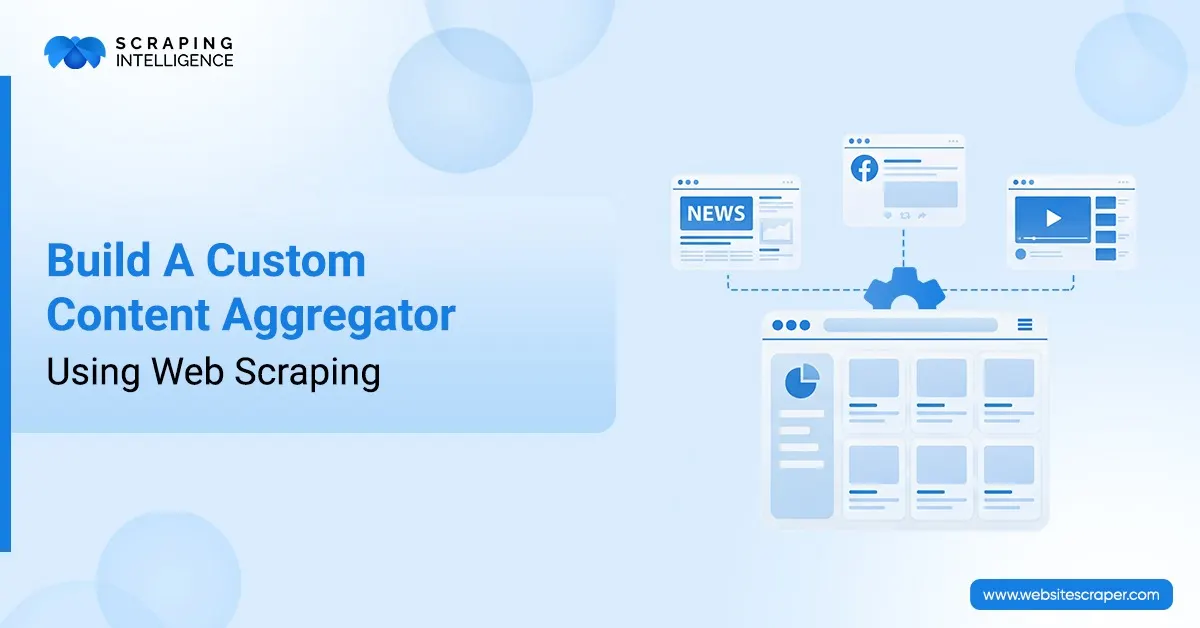
A content aggregator gathers information from multiple websites and presents it in a single, organized feed. Unlike RSS readers, a web scraping aggregator works on any site, with or without a published feed.
You define the sources, the fields to extract, and the frequency of collection. The system does the rest. That level of control is what makes custom web scraping aggregators far more useful than off-the-shelf feed tools.
Some common examples include:
News Monitoring: Collect and aggregate stories from all parts of the internet so you have a single feed of headlines and articles.
Competitor Tracking: Monitor competition and get notified about product updates, pricing changes, or new blog posts from rival sites.
Consolidating Job Boards: Unify all job postings from various career platforms into one central repository that your team can query.
Compiling Industry Reports: Automatically gather the most recent reports and articles from your industry on a defined schedule.
Price Intelligence: Monitor product prices across ecommerce websites and compare them across locations in real time.
Which Tools Work Best for Web Scraping Aggregators?
Your tool choice depends on three factors: whether target pages load content via JavaScript, how many URLs you plan to scrape, and how often you need to run. The table below covers the main options.
Tool
Function
Use When
requests
HTTP requests
Pages load without JavaScript
BeautifulSoup4
HTML parsing
Structured content, clear selectors
Scrapy
Full scraping framework
Hundreds of URLs, complex pipelines
Selenium
Browser automation
JavaScript-rendered pages are required
Playwright
Headless browser
Modern SPAs are faster than Selenium
httpx
Async HTTP client
High volume concurrent requests
APScheduler
Job scheduling
Automated, recurring scrape runs
SQLite or PostgreSQL
Data storage
Persistent, queryable content store
For most content aggregation projects, requests combined with BeautifulSoup4 cover the majority of static sources. Move to Scrapy when you scale beyond 50 URLs per run.
How to Set Up Your Python Environment?
A clean virtual environment stops dependency problems and makes your project easy to move around. Setting this up takes less than five minutes.
BeautifulSoup4 lets you select elements using CSS selectors. Inspect your target page's HTML before writing selectors. Selectors vary significantly between sites.
# parser.py
from bs4 import BeautifulSoup

def parse_articles(html, base_url):
    soup = BeautifulSoup(html, 'lxml')
    articles = []

    for item in soup.select('article.post-card'):
        title_tag = item.select_one('h2.post-title a')
        date_tag  = item.select_one('time.post-date')
        desc_tag  = item.select_one('p.post-excerpt')

        if not title_tag:
            continue

        articles.append({
            'title':   title_tag.get_text(strip=True),
            'url':     base_url + title_tag.get('href', ''),
            'date':    date_tag.get_text(strip=True) if date_tag else 'N/A',
            'summary': desc_tag.get_text(strip=True) if desc_tag else '',
        })

    return articles
Step 3: Manage Multiple Sources via Config
Centralizing your source definitions in a config file keeps the scraping logic clean. Adding a new site means adding one dictionary entry, not editing any scraping code.
How to Store Aggregated Content Without Duplicates?
Storage design matters more than most developers expect. A missing deduplication strategy turns your database into a mess after just a few scraping runs.
SQLite works well for personal projects and prototypes. For production workloads processing thousands of records per day, PostgreSQL is a better fit due to its concurrency model and indexing capabilities.
# storage.py
import sqlite3
from datetime import datetime

DB_PATH = 'aggregator.db'

def init_db():
    conn = sqlite3.connect(DB_PATH)
    conn.execute('''
        CREATE TABLE IF NOT EXISTS articles (
            id         INTEGER PRIMARY KEY AUTOINCREMENT,
            source     TEXT,
            title      TEXT UNIQUE,
            url        TEXT,
            date       TEXT,
            summary    TEXT,
            scraped_at TEXT
        )
    ''')
    conn.commit()
    conn.close()

def save_articles(source_name, articles):
    conn = sqlite3.connect(DB_PATH)
    cursor = conn.cursor()
    saved = 0
    for art in articles:
        try:
            cursor.execute(
                'INSERT INTO articles (source,title,url,date,summary,scraped_at) VALUES (?,?,?,?,?,?)',
                (source_name, art['title'], art['url'],
                 art['date'], art['summary'], datetime.now().isoformat())
            )
            saved += 1
        except sqlite3.IntegrityError:
            pass  # Title already exists, skip it
    conn.commit()
    conn.close()
    return saved
The UNIQUE constraint on the title column acts as a natural deduplication filter. You can run the scraper every hour without generating duplicate records.
How to Automate Your Aggregator with a Scheduler?
Running scripts manually defeats the purpose of building an aggregator. APScheduler handles this cleanly without requiring a separate job queue like Celery for most use cases.
# scheduler.py
from apscheduler. schedulers.blocking import BlockingScheduler
from scraper import fetch_page
from parser import parse_articles
from storage import init_db, save_articles
from config import SOURCES
import datetime

def run_aggregator():
    print(f'Run started at {datetime.datetime.now()}')
    for source in SOURCES:
        html = fetch_page(source['url'])
        if html:
            items = parse_articles(html, source['base_url'])
            count = save_articles(source['name'], items)
            print(f"  {source['name']}: {count} new articles saved")

if __name__ == '__main__':
    init_db()
    scheduler = BlockingScheduler()
    scheduler.add_job(run_aggregator, 'interval', hours=1)
    print('Aggregator running. Press Ctrl+C to stop.')
    scheduler.start()
Hourly intervals suit most news and blog aggregation tasks. For price monitoring, 10 to 15-minute intervals are more appropriate. Set the interval based on how often your sources publish new content.
How to Handle JavaScript Rendered Pages?
Many modern sites load content after the initial HTML response using JavaScript. When requests return a near-empty page, that is a reliable sign you need a headless browser.
# dynamic_scraper.py
from selenium import webdriver
from selenium.webdriver.chrome.options import Options
from selenium.webdriver.common.by import
from selenium.webdriver.support.ui import WebDriverWait
from selenium. webdriver. support import expected_conditions as EC

def fetch_dynamic_page(url):
    options = Options()
    options.add_argument('--headless')
    options.add_argument('--no-sandbox')
    options.add_argument('--disable-dev-shm-usage')

    driver = webdriver.Chrome(options=options)
    driver.get(url)

    WebDriverWait(driver, 10).until(
        EC.presence_of_element_located((By.CSS_SELECTOR, 'article'))
    )

    html = driver.page_source
    driver.quit()
    return html
Selenium is considerably slower than requests. Reserve it for sources that require JavaScript rendering. For everything else, keep using the lightweight requests approach.
Best Practices for Responsible and Scalable Scraping
A web scraping aggregator that ignores responsible scraping practices will get blocked quickly. These guidelines protect both your infrastructure and the sites you collect from.
Practice
Why It Matters
How to Apply
Respect robots.txt
Avoids scraping restricted paths
Parse robots.txt before adding any source URL
Rate limiting
Prevents server overload and bans
Add 2 to 5 second delays between requests
Rotating proxies
Avoids IP bans at scale
Use a proxy pool or a managed scraping API
Error handling
Keeps aggregator stable under failures
Wrap all requests in try/except with logging
User Agent rotation
Mimics real browser patterns
Rotate from a list of real browser user agent strings
Incremental scraping
Avoids re-storing duplicate records
UNIQUE constraint on title or URL column
Teams managing large aggregation pipelines often reach a point where maintaining proxies, handling CAPTCHAs, and monitoring blocked requests consume more time than the scraping itself. That is where a managed scraping service pays for itself.
What Are the Most Common Challenges in Content Aggregation?
Even well-built web scraping aggregators encounter recurring issues. Knowing them in advance shortens your debugging time considerably.
IP Blocking and CAPTCHAs: High-frequency requests trigger bot detection systems. Rotating proxies and request delays are the primary defenses. For heavy workloads, a managed scraping API handles this entirely.
Selector Drift: Websites update their HTML periodically, which breaks your CSS selectors silently. Schedule a monthly audit and add alerting when a scrape returns zero results.
JavaScript Only Content: Pages that render via React, Vue, or Angular require a headless browser. If your requests scrape returns mostly empty containers, JavaScript rendering is the likely cause.
Duplicate Records: Running the same scrape multiple times floods the database. The UNIQUE constraint on title or URL solves this at the database level without extra code.
Encoding Problems: Non-ASCII characters from international sites can corrupt records. Specify response encoding explicitly or use the lxml parser, which handles encoding detection well.
Legal Exposure: Not every publicly accessible page is legally scrapeable. Review the Terms of Service for each source and consult legal counsel for any commercial data collection project.
A well-built custom content aggregator saves hours of manual research every week. With Python, BeautifulSoup, a simple database, and a scheduler, you have a fully automated web scraping pipeline collecting content from any site you choose.
The technical foundation covered here scales well for personal and small team use. As your source list grows, operational concerns like proxy rotation, bot detection, and selector maintenance take up more time than the scraping logic itself.
That is where purpose-built infrastructure makes a real difference. Visit Scraping Intelligence to explore managed scraping APIs, proxy services, and fully custom content aggregation pipelines built to run reliably at any scale.
Frequently Asked Questions
What is a custom content aggregator?+
A custom content aggregator automatically gathers and sorts content from various websites into one single feed, according to the sources and fields that you specify.
Is web scraping legal?+
Scraping publicly available data is generally lawful. You should review each site's robots.txt and Terms of Service. For commercial use, consult legal counsel before starting.
How do I prevent my scraper from getting blocked?+
Apply rate limiting, rotate User Agent headers, add random request delays, and use rotating proxies. Each measure reduces the signal that automated traffic produces.
How often should a content aggregator run?+
Hourly runs suit most news and blog sources. Price monitoring often requires 10 to 15-minute intervals. Set frequency based on how often your sources actually publish.
Can I scrape sites that use React or Angular?+
First, render the JavaScript using Selenium or Playwright. Platforms like Scraping Intelligence can handle server-side rendering of modern SPAs and returns the full HTML automatically.
What is the best way to store scraped content?+
SQLite works for small to medium projects. PostgreSQL suits production systems. Apply a UNIQUE constraint on title or URL to prevent duplicate entries from repeated runs.
How is a custom aggregator different from an RSS reader?+
RSS readers only work with sites that publish feeds. A web scraping aggregator collects from any site, regardless of whether it offers an RSS or Atom feed.
Share this article:
About the Author
Scraping Intelligence
Scraping Intelligence Editorial Team is a collective of data specialists, analysts, and researchers with expertise in web scraping, data extraction, and market intelligence. The team produces well-researched guides, actionable insights, and industry-focused resources that help businesses unlock the value of data and make informed, strategic decisions.
Latest Blog
Explore our latest content pieces for every industry and audience seeking information about data scraping and advanced tools.
Discover how AI-powered web scraping is transforming data extraction with LLMs, machine learning, automation, real-time data, and intelligent web crawling.