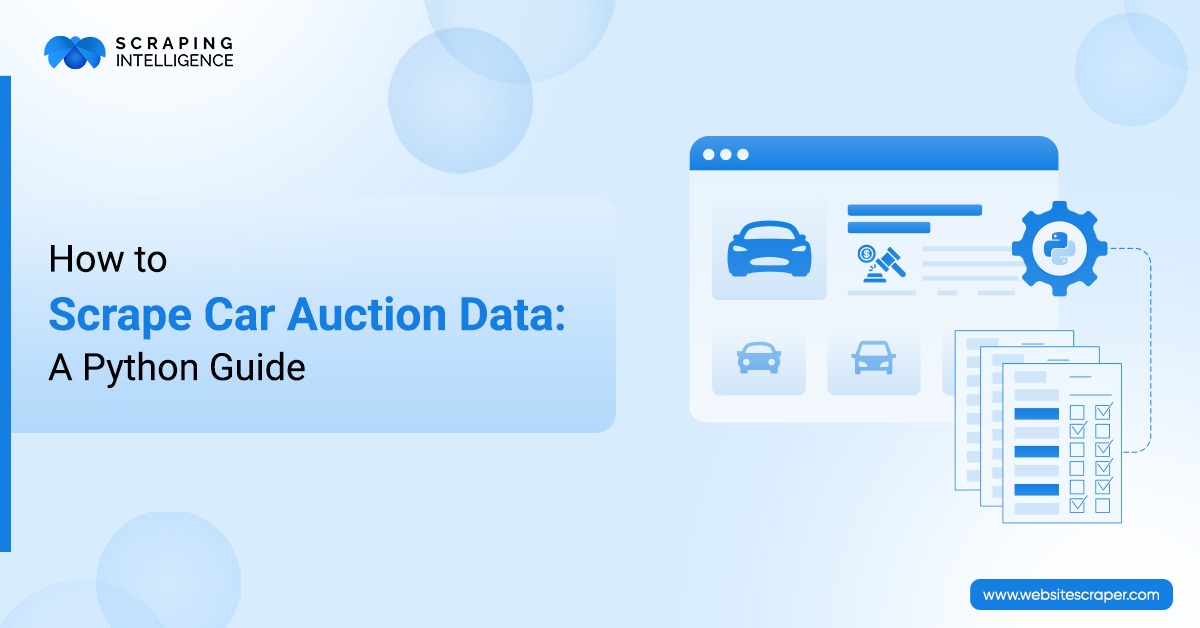
Car auction data is rapidly changing on salvage, dealer, and public enthusiast auction platforms. Scraping and monitoring this data on a large scale daily is a time-consuming process. We need to leverage cutting-edge technologies or a tool that automatically collects data from a website and provides structured output.
Python is a scripting language that is perfect for collecting a wide range of data. This programming language has various useful frameworks and libraries (pandas, BeautifulSoup, Playwright, etc.) that help us scrape vehicle data, auction details, vehicle condition, pricing, and other data. It enables us to scrape this data and store it in a structured format. If you do not have programming or technical knowledge, you can simply approach Scraping Intelligence to collect high-quality, error-free auction data. This blog outlines how to scrape car auction data using Python.
What Is Car Auction Data?
Car auction data is structured information collected from multiple digital sources. If you want to analyze car values, keep a record of car make and model, and monitor auction results, you should collect data from digital platforms. In the section mentioned below, we will understand the common auction data fields with examples for each.
Common Car Auction Data Fields
You can scrape billions of data points from car auction sites. We will see the most common data points.
Data Fields
Example
Vehicle Title
2022 Toyota Camry SE
Make & Model
Toyota Camry
Year
2022
VIN
Vehicle Identification Number
Lot Number
Auction listing ID
Mileage/Odometer
38,000 miles
Current Bid
$8,500
Buy Now Price
$12,000
Sale Date
Upcoming auction date
Auction Location
Texas, California, Florida
Damage Type
Front-end damage, hail
Fuel Type
Gasoline, Hybrid
Images
Vehicle photos
Why Businesses Scrape Car Auction Data?
Businesses extract vehicle auction data for many reasons.
Price Intelligence
Businesses can set competitive pricing to benchmark against rivals. Organizations scrape prices from any site to know the current bid and buy now pricing. By valuing inventory, organizations can quickly and easily assess the worth of their cars. Domain investors can incorporate the car auction price and evaluate their inventory.
Insurance and Salvage Analysis
Auction data provides evidence to claim validation and verify accident details. This data helps businesses detect fraud and suspicious data. Vehicle inspectors can use extracted auction data to forecast salvage value and estimate recovery growth. Dealers, on the other hand, can scrape auction data and recover assets to maximize resale potential.
Market Trend Analysis
In a car auction, demand always shifts; businesses need to monitor demand and understand buyer preferences, which can be achieved by extracting auction data from digital platforms. It empowers industrial companies to spot location-based trends through regional dynamics. Car auction information is best for evaluating risks and reducing investment uncertainty.
Reduce Manual Work
Manual data scraping fails when businesses want to collect comprehensive data. Moreover, collecting data manually may be error-prone and give you inaccurate output. These issues can be solved easily with the help of automated data scraping.
Tools and Python Libraries Required
Scraping auction data from commercials, public auctions, governments, and other websites requires tools and Python libraries for efficiency.
Python: This is a scraping language we will use as a base to develop a scraper.
BeautifulSoup: We require this Python library to send an HTML request to our targeted webpage.
Pandas: It basically helps us to clean and export structured car auction data.
Playwright: Actually, it is a framework that we will leverage to handle JavaScript-rendered pages.
JSON/CSV: These are the formats to export scraped car auction data.
CAPTCHA Solver: These are the tools that automatically complete CAPTCHA challenges.
Step-by-Step Process to Scrape Car Auction Data Using Python
Step 1: Install Required Libraries
In the first step, we will install Python libraries.
You can see that we have installed Playwright, pandas, and Beautiful Soup.
Step 2: Import Libraries
from playwright.sync_api import sync_playwright
from bs4 import BeautifulSoup
import pandas as pd
import time
These are the essential libraries that read webpage content, scrape, and store it in JSON/CSV file format.
Step 3: Load the Car Auction Page
url = "https://example-car-auction-site.com/cars"

with sync_playwright() as p:
    browser = p.chromium.launch(headless=True)
    page = browser.new_page()
    page.goto(url, wait_until="domcontentloaded")
    html = page.content()
    browser.close()
The above code will load the car auction page. It is used when you have to scrape dynamic content. We have considered the “https://example-car-auction-site.com/cars” URL as an example; you can replace it with the actual URL you wish to scrape for car auction data.
Step 4: Check for CAPTCHA or Access Restriction
captcha_keywords = ["captcha", "verify you are human", "access denied"]

if any(keyword in html.lower() for keyword in captcha_keywords):
    print("CAPTCHA or access restriction detected. Stop scraping.")
This code will find keywords “captcha”, “verify you are human”, or “access denied” and print the message” access restriction detected. After this, you have to use a good CAPTCHA-solving tool to complete the CAPTCHA.
Here, the BeautifulSoup library reads the HTML structure. The div.vehicle-card, selector we mentioned in the code, is an example. You can replace it with your own selector.
Step 6: Extract Vehicle Auction Data
car_data = []

for car in car_cards:
    title = car.select_one("h2.vehicle-title")
    bid = car.select_one("span.current-bid")
    mileage = car.select_one("span.mileage")
    location = car.select_one("span.location")
    sale_date = car.select_one("span.sale-date")

    car_data.append({
        "title": title.get_text(strip=True) if title else None,
        "current_bid": bid.get_text(strip=True) if bid else None,
        "mileage": mileage.get_text(strip=True) if mileage else None,
        "location": location.get_text(strip=True) if location else None,
        "sale_date": sale_date.get_text(strip=True) if sale_date else None
    })
As you can see in step number 6, we have extracted title, bid, mileage, location, and sale date.
We store data in the file car_auction_data.csv and car_auction_data.json; you can specify your desired storage format. You need to open one of these files to view the extracted car auction data.
If you want to handle errors in Python, you can write the following try and exception code:
try:
    html = page.content()

    if "captcha" in html.lower() or "access denied" in html.lower():
        raise Exception("CAPTCHA or access restriction detected")

    cars = soup.select("div.vehicle-card")

    if not cars:
        raise Exception("No car listings found. Check CSS selector.")

except TimeoutError:
    print("Page loading timeout. Try again later.")

except PermissionError:
    print("File is open. Close CSV/JSON file and rerun.")

except Exception as error:
    print(f"Scraping error: {error}")
This code will check page content and find access issues.
Complete Python Code
from Playwright.sync_api import sync_playwright
from bs4 import BeautifulSoup
import pandas as pd
import time


# -------------------------------------------------
# Change this URL with your target car auction page
# -------------------------------------------------

TARGET_URL = "https://example-car-auction-site.com/cars"


# -------------------------------------------------
# Change these selectors based on the actual website
# -------------------------------------------------

SELECTORS = {
    "car_card": "div.vehicle-card",
    "title": "h2.vehicle-title",
    "current_bid": "span.current-bid",
    "mileage": "span.mileage",
    "location": "span.location",
    "sale_date": "span.sale-date",
    "detail_link": "a.vehicle-link"
}


# -------------------------------------------------
# Safe text extraction function
# -------------------------------------------------

def get_text_safe(parent, selector):
    element = parent.select_one(selector)
    if element:
        return element.get_text(strip=True)
    return None


# -------------------------------------------------
# Safe link extraction function
# -------------------------------------------------

def get_link_safe(parent, selector):
    element = parent.select_one(selector)
    if element:
        return element.get("href")
    return None


# -------------------------------------------------
# CAPTCHA / access restriction check
# -------------------------------------------------

def captcha_detected(html):
    captcha_keywords = [
        "captcha",
        "verify you are human",
        "human verification",
        "access denied",
        "security check"
    ]

    html_lower = html.lower()

    for keyword in captcha_keywords:
        if keyword in html_lower:
            return True

    return False


# -------------------------------------------------
# Load page using Playwright
# -------------------------------------------------

def load_page(url):
    with sync_playwright() as p:
        browser = p.chromium.launch(headless=True)

        page = browser.new_page(
            viewport={"width": 1366, "height": 768}
        )

        page.goto(url, wait_until="domcontentloaded", timeout=60000)

        time.sleep(3)

        html = page.content()

        browser.close()

        return html


# -------------------------------------------------
# Parse car auction data using BeautifulSoup
# -------------------------------------------------

def parse_car_data(html):
    soup = BeautifulSoup(html, "lxml")

    car_cards = soup.select(SELECTORS["car_card"])

    scraped_data = []

    for car in car_cards:
        title = get_text_safe(car, SELECTORS["title"])
        current_bid = get_text_safe(car, SELECTORS["current_bid"])
        mileage = get_text_safe(car, SELECTORS["mileage"])
        location = get_text_safe(car, SELECTORS["location"])
        sale_date = get_text_safe(car, SELECTORS["sale_date"])
        detail_link = get_link_safe(car, SELECTORS["detail_link"])

        scraped_data.append({
            "title": title,
            "current_bid": current_bid,
            "mileage": mileage,
            "location": location,
            "sale_date": sale_date,
            "detail_link": detail_link
        })

    return scraped_data


# -------------------------------------------------
# Clean data using Pandas
# -------------------------------------------------

def clean_data(data):
    df = pd.DataFrame(data)

    if df.empty:
        return df

    if "current_bid" in df.columns:
        df["current_bid_clean"] = (
            df["current_bid"]
            .astype(str)
            .str.replace("$", "", regex=False)
            .str.replace(",", "", regex=False)
            .str.strip()
        )

        df["current_bid_clean"] = pd.to_numeric(
            df["current_bid_clean"],
            errors="coerce"
        )

    if "mileage" in df.columns:
        df["mileage_clean"] = (
            df["mileage"]
            .astype(str)
            .str.replace("miles", "", regex=False)
            .str.replace("Miles", "", regex=False)
            .str.replace(",", "", regex=False)
            .str.strip()
        )

        df["mileage_clean"] = pd.to_numeric(
            df["mileage_clean"],
            errors="coerce"
        )

    return df


# -------------------------------------------------
# Export data to CSV and JSON
# -------------------------------------------------

def export_data(df):
    if df.empty:
        print("No data found.")
        print("Please check your URL and CSS selectors.")
        return

    df.to_csv("car_auction_data.csv", index=False, encoding="utf-8-sig")

    df.to_json(
        "car_auction_data.json",
        orient="records",
        indent=2,
        force_ascii=False
    )

    print("Scraping completed successfully.")
    print("CSV file created: car_auction_data.csv")
    print("JSON file created: car_auction_data.json")
    print(f"Total records scraped: {len(df)}")


# -------------------------------------------------
# Main function
# -------------------------------------------------

def main():
    print("Opening car auction website...")

    html = load_page(TARGET_URL)

    print("Checking for CAPTCHA or access restriction...")

    if captcha_detected(html):
        print("CAPTCHA or access restriction detected.")
        print("Stop scraping and review website access permissions.")
        return

    print("Extracting car auction data...")

    scraped_data = parse_car_data(html)

    print(f"Raw records found: {len(scraped_data)}")

    print("Cleaning extracted data...")

    df = clean_data(scraped_data)

    print("Exporting data to CSV and JSON...")

    export_data(df)


# -------------------------------------------------
# Run scraper
# -------------------------------------------------

if __name__ == "__main__":
    main()
Common Challenges in Scraping Car Auction Websites
When you extract a vehicle from any website, you may face many challenges. However, these challenges are easily solved with a little effort.
JavaScript-Rendered Listings
Some webpages load dynamic webpages using JavaScript. They display web content dynamically from a database. You can solve this issue by using browser automation.
Request Blocking
eBay, eBid, and ShopGoodwill fight hard against bots. To bypass these restrictions, you should always use a VPN (Virtual Private Network) or rotating proxies.
Changing HTML Selectors
Website design often changes to improve UX and enhance business growth. This breaks your car auction data scraping logic; therefore, it must be solved by monitoring and selector validation.
Missing or Inconsistent Data
Sometimes, the website you are going to scrape does not show all the listings. Add fallback logic for smooth extraction of car auction data.
Duplicate Listings
Websites may have duplicate car auction information. These duplications create ambiguity in decision-making. Always use the lot number or VIN to detect duplicate information.
Best Practices for Car Auction Data Scraping
Whenever you extract vehicle auction data, you need to follow professional methods, which make your data harvesting easier.
Define Data Fields Early: Always define data fields before you start writing Python code, so that you can get a clear idea about the logic.
Always start with a small sample: Begin with scraping small data. If your scraper extracts data that you need, then you can go for other car auction data.
Add Request Delays: Do not scrape any website aggressively, because this slows down the server. Adding request delays helps you avoid rate limiting and bans.
Respect Website Terms of Service: You need to adhere to the website's terms of service and follow a compliance-focused approach to avoid paying high penalties.
Use Scalable Architecture: While collecting vehicle auction data from digital sources, you have to think about the data you will collect. A scalable architecture will enable you to manage growing data.
Business Use Cases of Car Auction Data
Scraped car auction data is utilized by diverse industries and businesses to accomplish goals.
Used Car Price Benchmarking: Wholesalers or used car dealers rely on the car auction data to benchmark their vehicle prices against competitors and stay price competitive. Machine repair shops analyze sales trends to develop a stronger pricing strategy.
Stay Ahead: If you run a startup business, then you can incorporate car auction data to stay ahead of the competitors and capture new opportunities.
Dealer Inventory Planning: By identifying fast-selling products, organizations can select better vehicle stock. They can even compare car demand and improve inventory decisions.
Insurance Claim Intelligence: Businesses that incorporate auction data always estimate a claim value and make fair settlement decisions. It helps dealers analyze damage patterns and assess better risks.
Automotive Market Forecasting: Wholesalers or exporters can stay competitive by forecasting the automotive market. Car auction information enables them to identify new trends and make data-driven decisions.
Is It Legal to Scrape Car Auction Data?
Whether car auction data scraping is legal or illegal is still unclear. When you extract auction data from any website, you should always adhere to some data privacy regulations. Furthermore, you should follow the website's terms of usage mentioned in robots.txt to maintain transparency and prevent damaging the brand. When you have to pull out information from a competitor’s website, you must scrape only publicly available data. Your intention behind collecting car data should also be clear.
Build vs Buy: Should You Create Your Own Car Auction Scraper?
When you decide to extract web data from any website, you can either build your own scraper or hire a good professional data provider. Let’s understand this difference.
Build Your Own Scraper
Hire a Professional Data Provider
Build your own scraper when you have technical knowledge or Python developers.
If you do not have programming language knowledge, you can simply hire professional data providers.
Developing your own scraper is a good idea if you want to collect limited data.
When you have to scrape data on a large scale, you can contact a data scraping service provider.
If you do not want real-time updates, you should write code to build your own scraper.
Professionals can scrape dynamic data for you and provide real-time updates.
With your own scraper, it may be difficult to write logic that provides data via API.
Always hire professional data providers to store data in JSON/CSV, your preferred format, or deliver it via API.
Why Scraping Intelligence to Scrape Car Auction Data?
You can collect high-quality data based on your needs.
We can customize our car auction data scraping logic.
Scraping Intelligence follows a compliance-focused approach.
We rely on AI to pull in massive amounts of data for analysis.
Scraping Intelligence provides structured data for market research and analysis.
Our organization can deliver data via API to directly integrate into your existing system.
We use a scalable infrastructure that includes centralized scheduling and source-aware crawling.
This blog describes what car auction data is and the importance of scraping it. We also understood how to use Python to extract simple car auction data from any website and understand the use cases of doing so. In this blog, we differentiate between building your own scraper and hiring a professional data provider. Are you in search of a reliable car auction data scraping service provider? Visit us to get your custom car auction data scraping solution.
Frequently Asked Questions
What are the advantages of scraping car auction data?+
Car auction data is beneficial to get better market visibility and stronger competitive insights. It automatically scrapes a large amount of data from any site and saves manual efforts.
Why should we use Python to extract car auction data?+
Python is a widely used scripting language. Developers use it to build websites, analyze data, and automate tasks. It contains robust libraries, crucial libraries, and frameworks that help us to seamlessly extract data from the car auction site.
What car auction data can you scrape using Python?+
Scraping car listings with Python is simple and easy; you can scrape everything from the VIN to the current odometer reading and model year.
What are common challenges in scraping car auction data?+
The common challenges in scraping car data include request blocking, duplicate listings, and dynamic webpages.
Why hire car auction data scraping services?+
You can hire car auction data scraping services to collect a comprehensive range of datasets to meet your business's bottom line. Hiring a professional company provides accurate data that is directly analyzed for making decisions.
Share this article:
About the Author
Scraping Intelligence
Scraping Intelligence Editorial Team is a collective of data specialists, analysts, and researchers with expertise in web scraping, data extraction, and market intelligence. The team produces well-researched guides, actionable insights, and industry-focused resources that help businesses unlock the value of data and make informed, strategic decisions.
Latest Blog
Explore our latest content pieces for every industry and audience seeking information about data scraping and advanced tools.
See how the travel industry uses web scraping to track fares, room rates, availability, and reviews, plus how to choose the right data extraction solution.
Discover how real estate web scraping helps agents, investors & brokers extract listings, prices & market trends. See 7 key benefits of real estate data scraping.